







 #22nd by NIRF, 2025
Amity Online Certificate in Spreadsheet Modelling using Excel









Amity Online Certificate in Spreadsheet Modelling using Excel - Course Overview
Issued by a UGC-entitled institute, the Amity Online Certificate in Spreadsheet Modelling using Excel encompasses all basic and advanced spreadsheet skills. The curriculum includes an introduction to spreadsheet modelling, data analysis and visualization, advanced spreadsheet techniques, data modelling, dashboards, and a real-world case study.
Covering 24 hours and 8 modules in total, the course is for beginners and doesn’t require any prior knowledge of Excel or Analytics. You will be ready to work as a Business Analyst, Financial Analyst, and Reporting Analyst in finance, FMCG, consulting, and operations industries. This course is in collaboration with KPMG India, making candidates completing this course eligible for paid and unpaid internship opportunities, depending on organizational norms and first-come-first-serve basis.

COLLEGESATHI
EXCLUSIVE COUPON
Applications Closing Soon
Accredited. Recognized. Career-Ready.

NIRF Ranked

QS Recognized

UGC-entitled
NAAC Accredited

AICTE Approved
NAAC accredited with “A+” grade
Ranked among the Top 10 Online MBA in Asia Pacific (QS)
Ranked in NIRF among India’s top universities
Ranked globally for graduate employability by Times Higher Education (THE)
Other Online Certificate Offered by Amity University in 2026


















Descriptive Analytics and Data Pre-processing using Python

 16-hour
Deadline: 11 November 2026










Amity Online Certificate in Spreadsheet Modelling using Excel Fees 2026
The fees for Amity Online Certificate in Spreadsheet Modelling are offered at a special launch price, making it accessible for learners and professionals looking to build advanced Excel and spreadsheet modelling skills.

₹21,000/-
Total Program Fee

Get Internship Opportunity

 Curriculum
Amity Online Certificate in Spreadsheet Modelling using Excel Syllabus
The syllabus for Amity Online Spreadsheet Modelling certification covers 8 structured modules from Excel fundamentals to advanced dashboarding, developed in collaboration with KPMG India.
 Introduction to Spreadsheet Modelling and its applications
- Understanding the concept of Spreadsheet Modelling
- Navigating the Excel interface and Workbook structure
- Understanding the Excel interface and basic functionalities

Quick Facts
- Industry Collaboration: Learn from KPMG professionals and consultants.
- Internship Opportunity: Eligible to apply for paid/unpaid internships after successful completion.
Amity Online Scholarships: Up to 45% Off First Semester Fees





Divyaang (for learners with special needs)
Applicants are required to submit a valid certificate of disability issued by a recognized authority in accordance with government norms.
Defence Personnel Scholarship
Applicants are required to have a minimum of 2 years of service in the defence forces with a valid Identity Card number.
Amity Alumni Scholarship
Applicants must have completed their previous degree from Amity University and are applying for further studies within the institution.
Merit-Based Scholarship
Applicants must have academic excellence with a minimum 85% aggregate in the previous qualification.
Sports Scholarship (CHAMPS)
Applicants must be a state, national, or international-level sportsperson with a valid affiliation from the respective sports federation.
Claim your
scholarship today!

Key Insights You must know before choosing
Amity Online Certificate in Spreadsheet Modelling using Excel in 2026
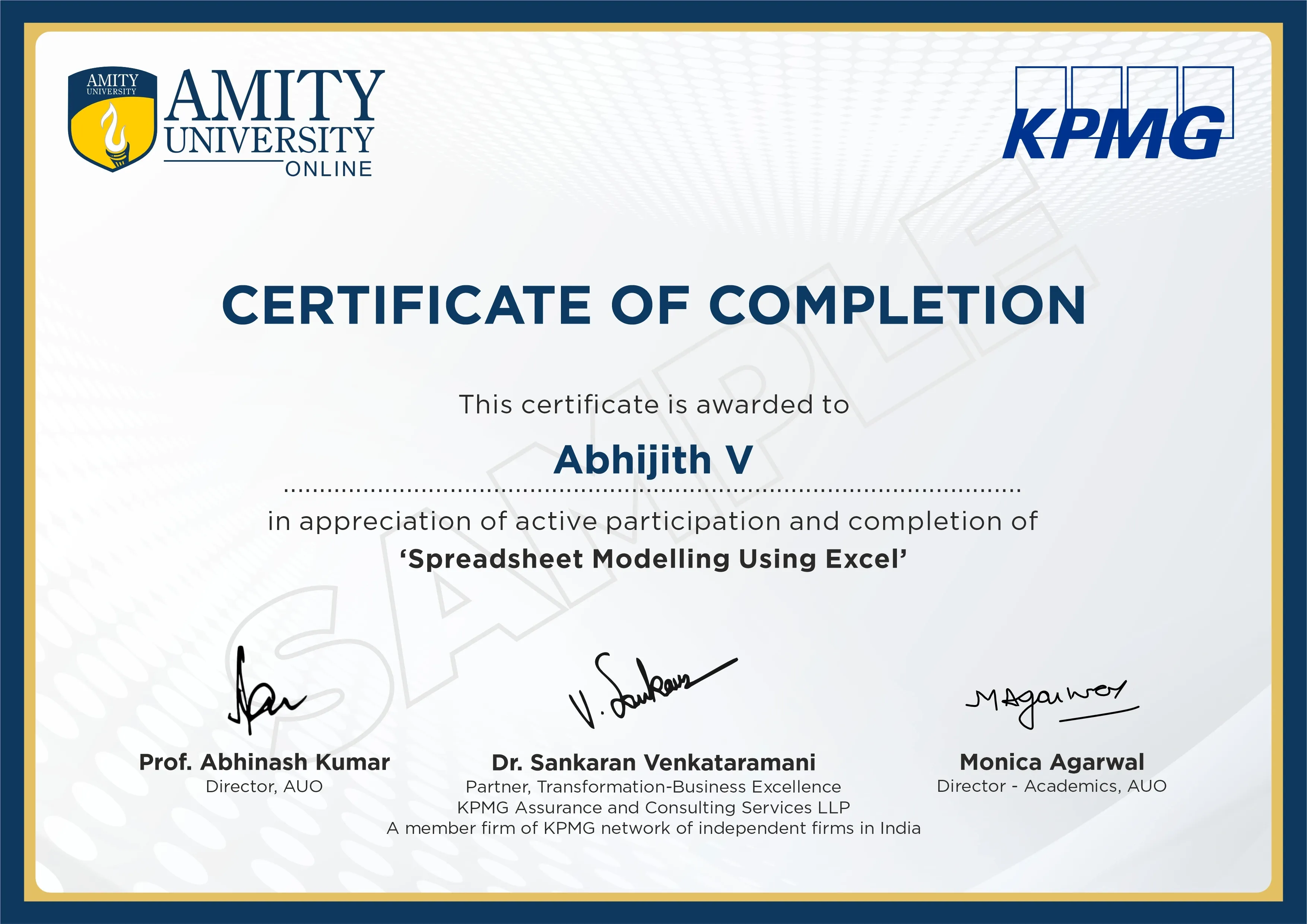
Amity Online Certificate in Spreadsheet Modelling using Excel Sample
 You will receive a globally recognized certificate in Spreadsheet Modelling using Excel from Amity Online.
 This certificate reflects practical, industry-relevant training in your chosen domain, adding credibility to your professional profile.
Exam Pattern

Amity Online Certificate in Spreadsheet Modelling using Excel Eligibility Criteria

Educational Qualification
Candidates who have completed higher secondary education, graduation, or post-graduation from a recognized institution can apply.

Suitable For
Working professionals, students, finance and operations practitioners, and anyone looking to strengthen their Excel and spreadsheet modelling capabilities, regardless of academic background.

Prior Experience
No prior experience in Excel, data analysis, or spreadsheet modelling is required. The program is designed for beginners.
Amity Online Certificate in Spreadsheet Modelling using Excel Admission Process 2026

Amity Online Placement 2026 - Jobs, Salaries & Hiring Partners
Placement Highlights

Business Analyst
Annual Average Salary
19% YoY
₹5 LPA - ₹9 LPA

Financial Analyst
Annual Average Salary
16% YoY
₹5 LPA - ₹9 LPA

Reporting Analyst
Annual Average Salary
15% YoY
₹3 LPA - ₹6 LPA

Operations Analyst
Annual Average Salary
16% YoY
₹4 LPA - ₹7 LPA

MIS Executive
Annual Average Salary
14% YoY
₹3 LPA - ₹6 LPA

Data Analyst
Annual Average Salary
20% YoY
₹4 LPA - ₹8 LPA

Budget Analyst
Annual Average Salary
15% YoY
₹4 LPA - ₹8 LPA







Build Your Future With a Leading Online University

Real Experts. Real Guidance

Management Experts
 1,15,000 learners helped
Tech Specialists
67,000 learners helped
Scholarship & Finance Experts
89,000 learners helpedWant to Explore Similar Universities?



 Student Experience & Testimonials
Success Stories from Our Alumni

Kian Sharma
Zikri Ali
Adhiraj Singh
Bhuvan Verma
Chaitanya Iyer
Eshan Gupta
Firoz Khan
Gaurang Joshi
Himanshu Desai
Jashn Kaur
Luv Mishra
Manan Reddy
Naman Bhatia
Omkar Kulkarni
Purab Chauhan
Rishabh Jain
Shivam TiwariTushar AgarwalUtkarsh ThakurVidur NairYug MenonAahana DasBhavya BoseCharu SanyalDrishti KapoorEsha MehraFreya DsouzaGauri PillaiHina ShaikhInaya AnsariJiya ChakrabortyKavina AhujaFrequently Asked Questions
Clear Your Doubts Before Enquiring
in Amity Online Certificate in Spreadsheet Modelling using Excel
Both. The certification program begins with the basics of using Excel and applying basic formulas in the first few modules, but gradually moves on to more advanced topics such as Power Query, Power Pivot, Goal Seek, Solver, etc. This means that the program is equally helpful for both beginners and professionals, looking to formalize existing Excel skills.
This program offers scenario-based modelling using tools such as Goal Seek and Solver through which learners can evaluate different scenarios and find the best possible outcomes, which are helpful in various business-related decision support tasks such as financial planning and forecasting.
The eighth and last module integrates all the knowledge acquired throughout the program in a practical case study that involves developing interactive reports and dashboards, integrating data visualizations, modelling, and business storytelling all into one applied project.
No. Although this program covers the basics of lookup, logic, statistics, and financial formulas, it further goes into a wide range of topics like Power Query for data pre-processing, Power Pivot for data summarization, and advanced Excel skills utilized in professional business analytics.
Yes. The curriculum is designed in association with KPMG India to make sure the techniques and tools of Excel modelling taught here represent the use of Excel in the professional world of business and finance.
Job roles such as Business Analyst, Financial Analyst, Reporting Analyst, Operations Analyst, MIS Executive, Excel Data Analyst, and Budget Analyst require extensive use of spreadsheet modelling techniques in fields such as finance, FMCG, consulting, retail, and operations-heavy sectors.
Excel remains the most widely used business tool that has been adopted by all organizations, irrespective of their size and industry. Teams using Power BI or Tableau for their dashboards still use Excel for their upstream data processing, analysis, and modelling requirements.
Building stronger spreadsheet modelling and dashboarding skills can help one advance their career in the same job role, so that they can demonstrate the improved skills through better work outcomes at work.
No. These internships depend on the requirements of partner firms at the time of application and are not restricted to Excel-related positions. After completion of the course, learners are qualified to apply for internships where there are limited seats based on a first-come, first-served policy.
While free online tutorials could help you learn some of the functions in Excel, this course is designed to teach you the entire spreadsheet modelling process, starting from entering data, analyzing data, and creating dashboards with an official certificate from a UGC entitled university.
Candidates need to have completed higher secondary education (10+2) or a higher qualification from a recognized institution. No specific stream, degree, or prior Excel experience is required to apply.
The program fee is ₹21,000, and payment is completed online at the time of enrollment, with no hidden or recurring charges during the course.
Access to Microsoft Excel is necessary to practise the hands-on exercises covered throughout the program, as the entire curriculum is built around this tool. Learners are advised to ensure they have access to Excel before beginning the course.
The program totals 24 learning hours delivered through self-paced recorded sessions, with no fixed live class schedule. Learners can progress through the 8 modules at a speed that matches their availability and learning pace.
The admissions for the 2026 intake are currently open. Learners are advised to check current enrollment and internship availability with the CollegeSathi team.



Popular PG Programs
Trending UG Programs
Doctorate Programs
Executive Programs
Trending Online Universities
In Demand MBA Specializations
In Demand MCA Specializations
CollegeSathi aims to provide unbiased and precise information to aspirants, along with comparative guidance on universities and their programs. The content on the CollegeSathi website, including text, graphics, images, blogs, videos, and university logos, is meant for informational purposes only and should not be considered a substitute for official information provided by academic partners. While we make every effort to keep the information accurate and up to date, CollegeSathi does not guarantee the completeness or reliability of the content and is not responsible for any errors, omissions, or losses resulting from its use.
© CollegeSathi 2026. All Rights Reserved.