



IGNOU Result 2026: How to Check Online (Term-End Exam)


The term-end examination is conducted twice a year in June and December by IGNOU. The result of both sessions is declared within 30 days of the last exam day. Candidates can check their IGNOU result by providing their enrollment number through the official website. The score has the candidate’s details such as enrollment number, maximum marks, marks scored, program name and others.
The IGNOU term-end result only shows students’ performance in the semester exams. On the other hand, the grade card shows the scores of assignments, theory, and practical. Candidates are advised to cross-check information in their grade card and download or print it for future reference. Read below to know how to check IGNOU results online and more.
IGNOU Result 2026: Key Updates
The key information about the IGNOU term-end result 2026 is mentioned in the table below:
| Particulars | Key Updates |
| IGNOU TEE Sessions | June and December (twice a year) |
| IGNOU TEE Result Release | Typically 30 days after exams end, released in phases |
| Credentials Required | Enrollment number (9 or 10 digits) and program code |
| IGNOU Result Mode | Fully online |
| Term-End Result Portal | termendresult.ignou.ac.in |
| Grade Card Portal | gradecard.ignou.ac.in |
| Official Website | ignou.ac.in |
IGNOU Term End Result 2026: Dates
The important dates for IGNOU Term End Result 2026 are provided below:
| Event | June 2026 TEE Dates | December 2026 TEE Dates |
| Exam date | 30 June to 21 July 2026 | December 2026 |
| IGNOU Result 2026 | 23 July 2026 (Early Declaration) | January 2027 |
| Result revaluation date | August 2026 | January 2027 |
How to Check IGNOU Result Online?
IGNOU releases the term-end result on its official website. IGNOU result for the December term-end exam 2026 is expected to be declared in January 2027. Students are advised to check the official website for any result-related updates regularly.
Steps to Check IGNOU Result Online
The steps below explain the process to check your IGNOU result online:
- Visit the official website of IGNOU, i.e https://www.ignou.ac.in/
- Look for “Student Services” at the top of the home page. Click on it, and you will be redirected to a new page.
- Click on the “Term End Exam/Re-evaluation Results”
- Select “result type”, “term-end exam result”, and enter your enrollment number.
- Once you click on search, your IGNOU term-end result will be displayed on the screen.
What Details are mentioned on the IGNOU Result Card?
The following details are mentioned on the IGNOU term-end result:
- Enrollment number
- Program code & name
- Maximum marks
- Marks obtained
- Grades
- Month and year
- Remarks
- IGNOU exam centre address
IGNOU Result vs Grade Card: What's the Difference?
Many IGNOU students confuse the term-end result with the grade card, but the two serve different purposes.
| IGNOU Result | IGNOU Grade Card |
| Shows only Term-End Examination (TEE) marks for declared courses | Shows complete academic performance, including assignment marks, theory marks, and practical marks (if applicable) |
| Released first, right after TEE evaluation | Updated gradually as assignment, theory, and practical marks are all uploaded |
| May appear incomplete if not all course results are processed yet | Indicates "Completed" or "Not Completed" status for each course |
| Used mainly to check TEE exam performance | Used to confirm whether you've fulfilled all requirements for a course |
| Does not include assignment or practical marks | Includes assignment scores, theory marks, practical marks, and overall status |
In short, the term-end result gives you a quick look at your exam performance, while the Grade Card is the complete, official record you'll need to confirm course completion.
How to Check IGNOU Assignment Result 2026?
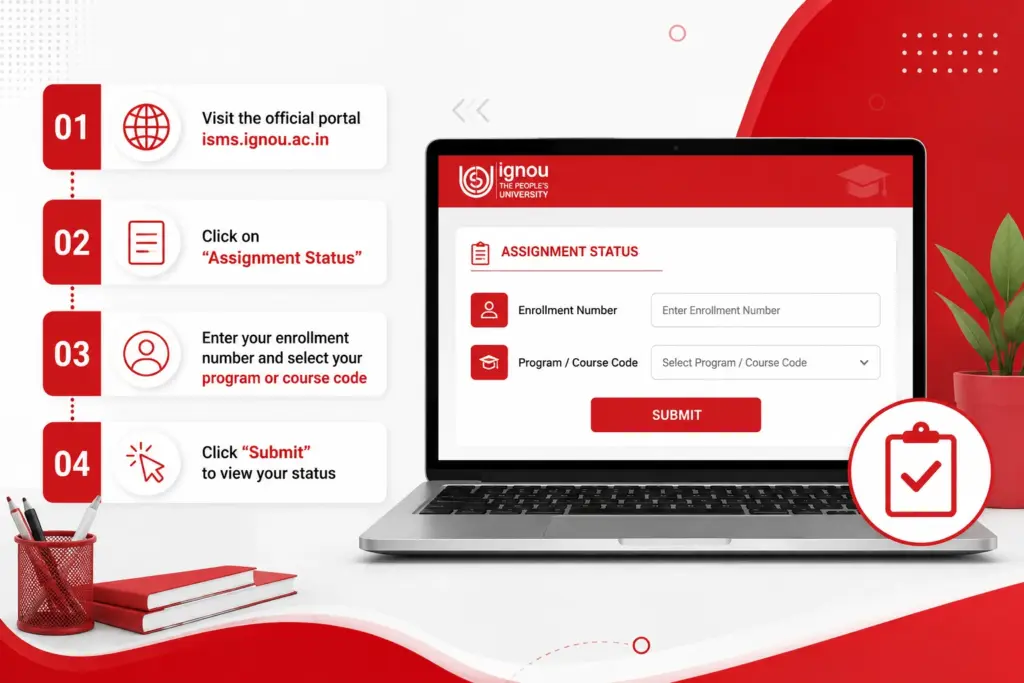
Assignment marks are checked separately from your Term-End Result, since they're tracked through IGNOU's assignment status portal. Here's how to check IGNOU Assignment Result 2026:
Step 1: Visit the official portal at isms.ignou.ac.in.
Step 2: Click on "Assignment Status" from the available options.
Step 3: Enter your enrollment number and select your program or course code.
Step 4: Click "Submit" to view your status.
Your assignment status will show as one of the following:
- Not received: Your assignment hasn't been processed yet.
- Received: The study centre has received your assignment.
- Under evaluation: Your assignment is currently being checked.
- Marks uploaded: Evaluation has completed, and marks are available.
The assignment marks carry 30% weightage and the term-end exam carries 70% weightage. Students need to pass both sections separately to complete the program. If your assignment status appears as pending for an extended period, you should contact and confirm with your nearest regional or study centre.
How to Download an IGNOU Grade Card or Marksheet?
Your Grade Card gives the complete picture of your performance, so it's worth downloading once your components are updated. Here's how you can download the IGNOU grade card/ marksheet:
- Step 1: Visit the official IGNOU website at ignou.ac.in.
- Step 2: Click on "Student Services" from the menu.
- Step 3: Look for the "Grade Card" option and click on it.
- Step 4: You'll be redirected to gradecard.ignou.ac.in.
- Step 5: Select your program from the list of available options.
- Step 6: Enter your enrollment number in the required field.
- Step 7: Click "Search" to view your grade card.
- Step 8: Download the PDF and keep it safe for future reference, such as applying for further studies or jobs.
Note: If you ever misplace your grade card, IGNOU also allows you to request a duplicate copy by submitting an application form along with a demand draft of ₹250, payable to IGNOU, New Delhi.
IGNOU Grading & Marking Scheme
IGNOU uses the following grading system to evaluate candidates’ performance throughout the program:
| Letter Grade | Qualitative Level | Point Grade |
| A | Excellent | 5 |
| B | Very Good | 4 |
| C | Good | 3 |
| D | Average | 2 |
| E | Unsatisfactory | 1 |
For undergraduate and postgraduate programs under the choice-based credit system, IGNOU also follows a 10-point grading scale:
| Letter Grade | Numerical Grade | Percentage |
| O (Outstanding) | 10 | 85% and above |
| A+ (Excellent) | 9 | 75% to 85% |
| A (Very Good) | 8 | 65% to 75% |
| B+ (Good) | 7 | 55% to 65% |
| B (Above Average) | 6 | 50% to 55% |
| C (Average) | 5 | 40% to 50% |
| D (Pass) | 4 | 35% to 40% |
| F (Fail) | 0 | Below 35% |
| Ab (Absent) | 0 | Absent |
Passing criteria: Students of the undergraduate program must secure a minimum of 35% individually in both theoretical exams and assignments. Whereas postgraduate students should score at least 40% in both. The final result is calculated by combining marks of both term-end exams and assignments.
What If Your IGNOU Result Is Not Showing or Delayed?
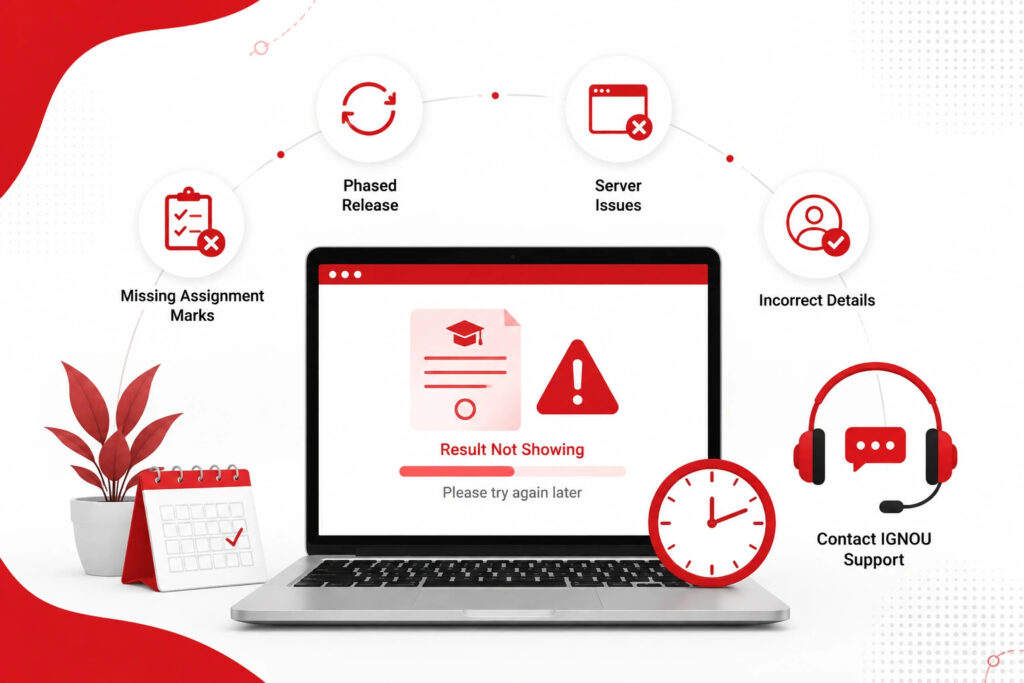
If your result isn't showing up yet, here's what typically causes this and what you can do:
- Phased release: IGNOU evaluates and releases results in batches across regional centres. So not all students will see their marks at the same time. If your course result isn't there yet, wait for the next update.
- Missing assignment marks: Your result may show as incomplete if your assignment hasn’t been processed, even if your theory exam has been marked.
- Incorrect enrollment number or program code: Double-check that you've entered the correct details, as even a small error can prevent your results from displaying.
- Website server issues: High traffic right after a result declaration can sometimes cause the portal to lag or show errors. This can normally be solved by trying again in some time or by using another browser or device.
If you do not see your result after a few days, instead of assuming that there is something wrong with your performance, it is better to contact the regional centre or the help centre of IGNOU for clarification.
What to Do If You Fail a Subject?
If you have failed a subject, you can re-appear for it without re-registering for the program.
- Re-appear in the next TEE: If you don't clear a subject, you can appear for it again in the following Term-End Examination (June or December) by filling out the exam form for that course; no need to re-register for the entire program.
- No need to resubmit assignments: If you've already submitted and cleared your assignment for that course, you don't need to submit it again while re-appearing for the theory exam.
- Back paper timeline: Undergraduates can clear back papers within a maximum period of 8 years and postgraduates within a maximum period of 5 years from the date of their initial admission.
- Option for improvement exam: If you have passed but want to improve your score or division, you can apply for the improvement exam within 6 months from the issuance of your final grade card. This option may be used only once per course.
What is the IGNOU Re-evaluation Process?
If you think you have performed better than what you scored, you can request a re-evaluation of your answers.
- Application window: You can apply for re-evaluation online within 30 days of your result declaration.
- Fee: The re-evaluation fee is ₹750/- per course to be paid online at the time of applying.
- Process: Go to the revaluation portal, log in with your enrollment number and program code, select Revaluation of Answer Scripts, make the payment and submit your request.
- Outcome: Your final result will be the better of your original marks or re-evaluated marks, so re-evaluation can only improve your score.
- What's not covered: Re-evaluation applies to term-end theory exams only. Assignments, projects and practical elements are not eligible for re-marking.
IGNOU Result Helpline & Contact
If you're facing an issue that isn't resolved through the portal, IGNOU provides direct contact options for result-related queries.
| Query Type | Contact |
| General result queries | 011-29572208, 011-29572211 |
| Email support | [email protected] |
| BDP (Bachelor's) result queries | [email protected] |
| BPP result queries | [email protected] |
When reaching out, keep your enrollment number, program code, and course details ready. It helps the support team locate your record faster and resolve your query without back-and-forth. For issues specific to your region, such as document verification or physical submissions, it's also worth contacting your assigned Regional Centre directly.
Frequently Asked Questions
No, you need to have your enrollment number to check your Term-End Result and Grade Card. If you have lost it, you can access it through the admission status portal using your application number.
No, IGNOU does not send results through post or e-mail. Results are available only online on the official portals of Term-End Result and Grade Card.
"Not Completed" usually means that you have not passed all the required elements of that course, like the theory exam, assignment, practical, etc, or one of them has not been graded yet.
Yes, IGNOU Result Portals keep the previous session results, so you can go to the respective session and check your result even after the result was announced the first time.
There is no official dedicated app of IGNOU to check results. Alternatively, you can check your result on your mobile browser through the official website.
Yes, the pending fee dues can sometimes delay or withhold your result or grade card until the fee is cleared. The best way to confirm your fee status is to look at your student account.
For this purpose, IGNOU has a separate Transcript and Verification Service which is different from downloading your regular Grade card. This usually means another application and fee.



Popular PG Programs
Trending UG Programs
Doctorate Programs
Executive Programs
Trending Online Universities
In Demand MBA Specializations
In Demand MCA Specializations
CollegeSathi aims to provide unbiased and precise information to aspirants, along with comparative guidance on universities and their programs. The content on the CollegeSathi website, including text, graphics, images, blogs, videos, and university logos, is meant for informational purposes only and should not be considered a substitute for official information provided by academic partners. While we make every effort to keep the information accurate and up to date, CollegeSathi does not guarantee the completeness or reliability of the content and is not responsible for any errors, omissions, or losses resulting from its use.
© CollegeSathi 2026. All Rights Reserved.